
⬇️ FEATURE BLOCK - 001 ⬇️
⬇️ Section Code: P: FEATURE-001 ⬇️

RingCentral Office is the #1 Cloud business communications system that unifies the way businesses of all sizes communicate, collaborate, and connect. Whether it is voice, fax, team messaging, audio conferencing, video conferencing or collaboration tools, RingCentral Office connects your business on any device at any time.

The RingCentral app is a single, unified experience for all of RingCentral Office’s communications and collaboration capabilities. The unified client brings all modes of communications into one place.
⬇️ FEATURE BLOCK - 002 ⬇️
⬇️ Section Code: P: FEATURE-002 ⬇️

Small Call to Action Headline
Your Paragraph text goes Lorem ipsum dolor sit amet, consectetur adipisicing elit. Autem dolore, alias, numquam enim ab voluptate id quam harum ducimus cupiditate similique quisquam et deserunt, recusandae. here
Small Call to Action Headline
Your Paragraph text goes Lorem ipsum dolor sit amet, consectetur adipisicing elit. Autem dolore, alias, numquam enim ab voluptate id quam harum ducimus cupiditate similique quisquam et deserunt, recusandae. here
Small Call to Action Headline
Your Paragraph text goes Lorem ipsum dolor sit amet, consectetur adipisicing elit. Autem dolore, alias, numquam enim ab voluptate id quam harum ducimus cupiditate similique quisquam et deserunt, recusandae. here
⬇️ FEATURE BLOCK - 003 ⬇️
⬇️ Section Code: P: FEATURE-003 ⬇️
Professional IT Support in Chicagoland
Our Services

MANAGED SERVICES
You can rest easy when you put your IT support needs in our hands. Never worry about extensive downtime again with our 24/7 monitoring services.

NETWORK SECURITY
Our goal is to provide you with the best network security protection possible, while also keeping your unique needs and budget in mind.

VoIP SERVICES
Prairie IT Services Corp. is a RingCentral Partner. We have experience deploying RingCentral in wide variety of environments from small to large.

DATA BACKUP & RECOVERY
Enterprise level Data Backup & Recovery solutions for a small business budget. Guard against threats with a system that works for your business, is easy to manage, and suits your budget.

HELP DESK
When you need assistance with network and PC issues, software support, or virus removal, we are here to help you.
⬇️ FEATURE BLOCK - 004 ⬇️
⬇️ Section Code: P: FEATURE-004 ⬇️
Technology Solutions
What Can We Help You With?
FLAT-RATE IT SUPPORT
Lorem ipsum dolor sit amet, consectetur adipisicing elit. Autem dolore, alias, numquam enim ab
PHONE SYSTEMS
Lorem ipsum dolor sit amet, consectetur adipisicing elit. Autem dolore, alias, numquam enim ab
BUSINESS CONTINUITY
Lorem ipsum dolor sit amet, consectetur adipisicing elit. Autem dolore, alias, numquam enim ab

CLOUD COMPUTING
Lorem ipsum dolor sit amet, consectetur adipisicing elit. Autem dolore, alias, numquam enim ab
NETWORK SECURITY
Lorem ipsum dolor sit amet, consectetur adipisicing elit. Autem dolore, alias, numquam enim ab
IT CONSULTING
Lorem ipsum dolor sit amet, consectetur adipisicing elit. Autem dolore, alias, numquam enim ab
And So Much More!
⬇️ FEATURE BLOCK - 005 ⬇️
⬇️ Section Code: P: FEATURE-005 ⬇️
TECHNOLOGY SERVICES
See What We Have To Offer!
FLAT-RATE IT SUPPORT
We have several options and will customize a plan to fit your needs. Give us a call today.
PHONE SYSTEMS
We have several options and will customize a plan to fit your needs. Give us a call today.
BUSINESS CONTINUITY
We have several options and will customize a plan to fit your needs. Give us a call today.
CLOUD COMPUTING
We have several options and will customize a plan to fit your needs. Give us a call today.
NETWORK SECURITY
We have several options and will customize a plan to fit your needs. Give us a call today.
IT CONSULTING
We have several options and will customize a plan to fit your needs. Give us a call today.
And So Much More!
⬇️ FEATURE BLOCK - 006 ⬇️
⬇️ Section Code: P: FEATURE-006 ⬇️
Prairie IT Services' tech support doesn't end there. Here are a few more excellent benefits:

Incredible Knowledge Base
We can help you with just about anything computer related, and when we can't, we'll find someone who can.
Increased Productivity
With significantly reduced downtime, you'll see an increase in how much work gets done by your employees.
More Available Capital
Because you're not paying us to be there full time, we reduce your IT costs significantly, leaving capital available for other projects.
⬇️ FEATURE BLOCK - 007 ⬇️
⬇️ Section Code: P: FEATURE-007 ⬇️
Flat-Fee IT Support
Lorem ipsum dolor sit amet, consectetur adipisicing elit. Autem dolore, alias, numquam enim ab voluptate id quam harum ducimus
PHONE SYSTEMS
Lorem ipsum dolor sit amet, consectetur adipisicing elit. Autem dolore, alias, numquam enim ab voluptate id quam harum ducimus
BUSINESS CONTINUITY
Lorem ipsum dolor sit amet, consectetur adipisicing elit. Autem dolore, alias, numquam enim ab voluptate id quam harum ducimus
CLOUD COMPUTING
Lorem ipsum dolor sit amet, consectetur adipisicing elit. Autem dolore, alias, numquam enim ab voluptate id quam harum ducimus
NETWORK SECURITY
Lorem ipsum dolor sit amet, consectetur adipisicing elit. Autem dolore, alias, numquam enim ab voluptate id quam harum ducimus
IT CONSULTING
Lorem ipsum dolor sit amet, consectetur adipisicing elit. Autem dolore, alias, numquam enim ab voluptate id quam harum ducimus
⬇️ FEATURE BLOCK - 008 ⬇️
⬇️ Section Code: P: FEATURE-008 ⬇️
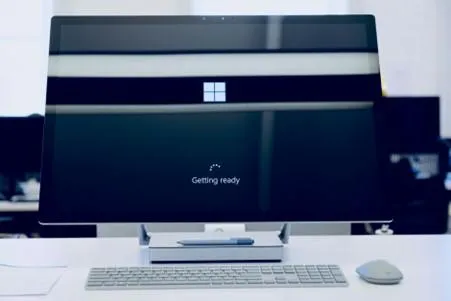
Windows 10: The Countdown Begins – Upgrade Your PC Now"
Windows 10 has served us well. But its time is running out. Microsoft plans to end support for Windows 10 on October 14, 2025. This means no more security updates, no more patches, and no more support.
It's time to upgrade to Windows 11. This is especially true for business users with many systems to check and upgrade. This change isn't just about getting new features. It's about ensuring your PC stays secure, fast, and capable.
Why You Need to Upgrade Now
Security Concerns
When Microsoft stops supporting Windows 10, your computer becomes vulnerable. No more updates mean no more security patches. Hackers and malware developers will exploit these vulnerabilities. Upgrading to Windows 11 ensures you receive the latest security updates. This keeps your data and personal information safe.
Enhanced Performance
Windows 11 is designed to be faster and more efficient. It optimizes your hardware, providing better performance. Whether you use your PC for work, gaming, or general browsing, you'll notice the difference. Applications run smoother, and boot times are quicker.
Improved Features
Windows 11 brings a host of new features. The redesigned Start Menu and Taskbar offer a fresh, modern look. Snap Layouts and Snap Groups help you organize your workspace. Virtual Desktops allow you to create different desktops for different tasks. These features enhance productivity and make your PC experience more enjoyable.
Hardware Requirements for Windows 11
Not all current PCs can run Windows 11. The new operating system has specific hardware requirements. Here are the basics:
A compatible 64-bit processor with at least 1 GHz clock speed and 2 or more cores.
4 GB of RAM or more.
64 GB of storage or more.
UEFI firmware with Secure Boot capability.
TPM version 2.0.
DirectX 12 compatible graphics with a WDDM 2.0 driver.
These requirements might mean you need new hardware. Many older PCs do not meet these specifications. If your PC doesn't meet these requirements, consider upgrading.
Upgrading Your Computer
Opportunity to Modernize
Upgrading your PC is an opportunity to modernize. Newer PCs come with better processors, more RAM, and faster storage. These improvements provide a significant boost in performance.
AI-Enabled PCs
Consider AI-enabled PCs with Copilot. These machines offer advanced features powered by artificial intelligence. They learn your habits and optimize performance accordingly. AI can predict what you need, making your PC experience smoother and more intuitive.
Energy Efficiency
Modern PCs are also more energy efficient. They use less power, which is good for the environment and your electricity bill. Newer hardware is often more efficient without compromising performance.
Benefits of Upgrading to Windows 11
Better User Interface
Windows 11 offers a cleaner, more intuitive user interface. The Start Menu is centered, providing easy access to your most-used apps. The Taskbar is simplified and customizable. These changes make it easier to navigate and use your PC.
Improved Multitasking
Snap Layouts and Snap Groups enhance multitasking. You can easily organize open windows and switch between tasks. Virtual Desktops allow you to create separate desktops for work and personal use. This organization improves productivity and reduces clutter.
Integrated Microsoft Teams
Windows 11 has Microsoft Teams built in. This makes it easier to connect with friends, family, and colleagues. You can quickly start a chat or video call from the Taskbar. This integration is particularly useful for remote work and staying connected.
Improved Virtual Desktops
Virtual Desktops in Windows 11 are more powerful and customizable. You can set different backgrounds for each desktop and organize your tasks better. This feature is ideal for separating work from personal use.
What Are the Risks of Waiting to Upgrade?
Increased Vulnerability
Waiting to upgrade increases your vulnerability. As Windows 10 approaches its end-of-support date, the risk of security threats grows. Hackers will target unsupported systems, knowing they won't receive updates. Upgrading now minimizes this risk.
Potential Compatibility Issues
Software developers will eventually stop supporting Windows 10. New applications and updates may not be compatible. This can lead to performance issues and lost productivity. By upgrading now, you ensure compatibility with the latest software.
Business Disruption
Beginning an upgrade for your office now gives time for a smooth rollout. You can upgrade one department at a time. This has the benefit of reducing potential disruption and spreading out the costs.
Avoid Last-Minute Rush
Upgrading now avoids the last-minute rush. As the end-of-support date approaches, many users will scramble to upgrade. This can lead to delays and increased demand for new PCs. Upgrading early ensures a smooth transition.
How to Upgrade?
Check Compatibility
First, check if your current PC meets the Windows 11 requirements. Use the PC Health Check tool from Microsoft. This tool will tell you if your hardware is compatible.
Backup Your Data
Before upgrading, backup your data. Use an external hard drive or cloud storage. This ensures you don't lose important files during the upgrade process.
Follow Upgrade Instructions
Follow Microsoft's instructions for upgrading. This may involve downloading the Windows 11 installation file and running the setup. If your PC isn't compatible, consider purchasing a new one that meets the requirements.
Seek Professional Help
If you're unsure about upgrading, seek professional help. Our technology experts can make the process as easy as possible. We’ll ensure your upgrade goes smoothly and address any issues that arise.
Get Help with a Windows 11 Upgrade & Migration
The countdown to the end of Windows 10 has begun. Ensure your PC stays protected and up to date. Don't wait until the last minute! We’ll be happy to guide you through a successful upgrade to ensure you avoid future headaches.
Contact Prairie IT Services today to schedule a chat about upgrading your Windows computers.
Article used with permission from The Technology Press.
